The putting simulator for your Android phone
Your phone's camera measures every putt on your mat, its speed, start line and roll. Then the ball rolls on across a 3D green, with break, a hole and tests.
Coming soon to Google Play. Android only, not for iPhone.
How it works
Print the marker strips
Two strips as a PDF from the app, on A4 or Letter. Lay them left and right of your mat.
Set up the phone
Opposite you on a small tripod, looking down at an angle, with all four markers in the picture.
Putt
The app notices the putt by itself and shows its speed, direction and where the ball stops at once.
What you can do
Measured, not guessed
The camera follows the ball over its first centimetres. The marker strips give the scale and the direction.
Your tendencies
Every putt with speed, direction and length. You see whether you tend to be short or long and how your pace fits the distance.
Big on a tablet or TV
The values in the browser of a second device in the same Wi-Fi, without an account. Connect once with swingdata.app/link, done.
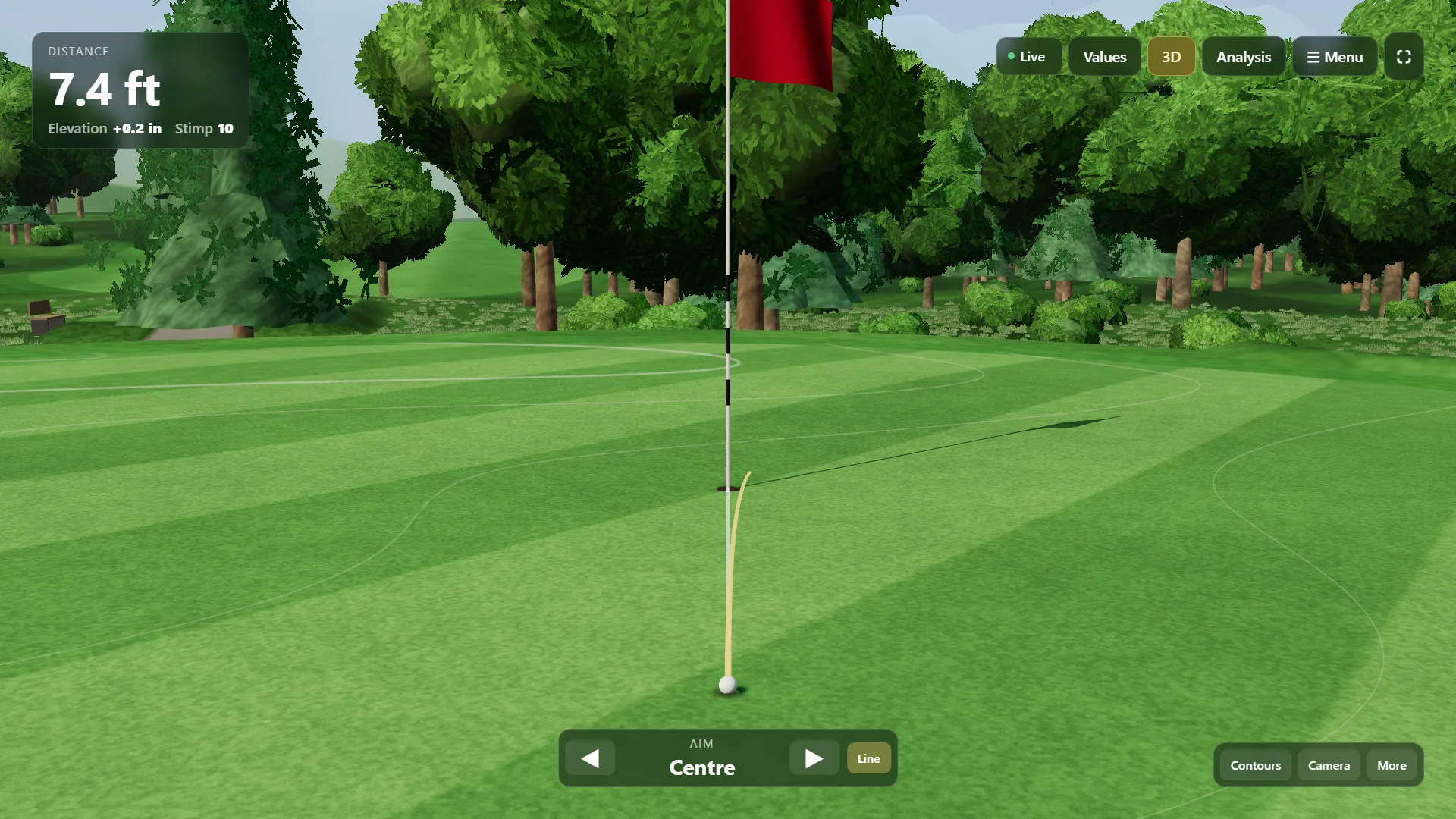
3D green with break
Your putt rolls on across a sloping green with a hole, seen from behind the ball, from the hole or from above.
Rounds and tests
The nine-hole round alone or against friends, the 100-foot test, pressure putts and more.
Keep everything
Every training stays stored, and you export it as a table, with its videos if you like.
Free and Premium
Free
- Every putt measured, speed, direction, roll
- Free putting and the ladder
- Your last 10 trainings
- The values on a tablet or TV
Premium
- The 3D green with break and a hole
- The nine-hole round and every test
- Every training, no limit
- Export as a table, with videos if you like
Premium is a one-time purchase in the app, not a subscription, and belongs to your Google account. We will name the price at launch.
What you need
- An Android phone with Android 10 or newer and a good camera, ideally with slow motion
- A small tripod or holder for the phone
- A printer for the two marker strips
- A putting mat or a level floor, a ball and a putter
Common questions
- Is SwingData available for iPhone?
- No, for now it is Android only.
- Do I need the internet?
- No. Measuring runs on the phone, and the second screen works in your own Wi-Fi. The internet is needed only to buy Premium and to connect through swingdata.app/link.
- How accurate is it?
- That depends on light, camera and set-up. We will publish figures on accuracy once our series of measurements is complete.
More questions and answers in support
Become a tester
Before SwingData goes into the Play Store, we test it for two weeks with a small group. Premium is free for testers. Sign up with the email address of the Google account you use in the Play Store. We will send you the invitation when the test begins.